
Add your availability before your round starts on tennis-liga.at
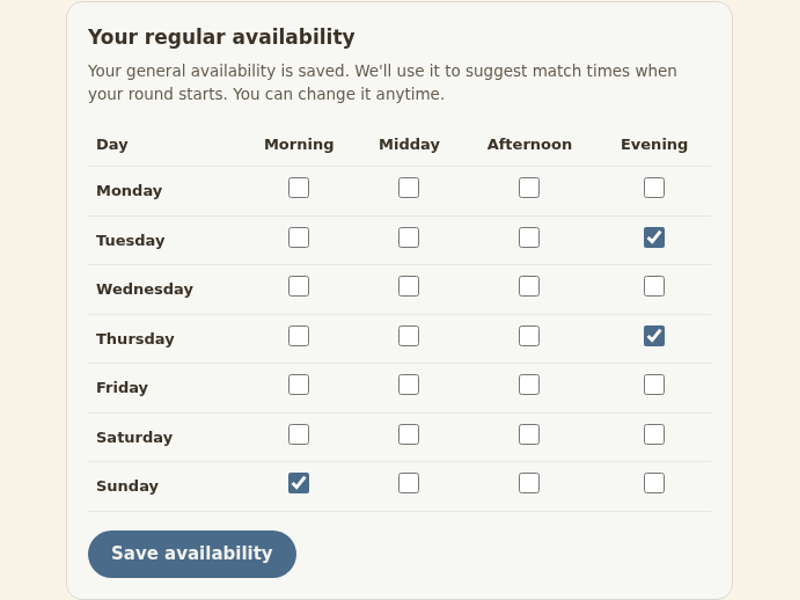
Where do I add my availability before the round starts?
On the waiting page, the “Your regular availability” grid sits below your selected locations. Previously, you could enter your times in an active round’s calendar. You can now prepare your usual week while you wait.
Select the times of day that suit you, Monday to Sunday, then click “Save availability”. If you want to play tennis after work or at weekends, choose slots you can realistically make.
This is optional. There is no minimum number of slots, and your registration does not depend on filling them in. If your weekly plans change, return to the same page, adjust the checkboxes and save again.
What carries over when my tennis round starts?
When your tennis singles round starts, your saved weekly slots become availability on the corresponding dates throughout the round. Your calendar will already have those times filled in.
Check the actual dates after the round starts and update any exceptions in your active round’s availability. An available slot is not an agreed match: you still arrange the exact time with your opponent and book the court yourselves. This automatic carryover does not apply to doubles rounds.
Open your waiting page on tennis-liga.at and add your playing times.